Install-to-workflow flow
Understand the end-to-end flow from installing a connector app to running your first workflow on Self-Deployed Runtime.
The install-to-workflow flow describes what happens from the moment you install a connector app to the moment your first workflow runs metadata extraction. Understanding this flow helps you anticipate each step and make the right choices at install time.
Flow overview
Install environments
When you click Install in the Marketplace, the app always installs on the Atlan-managed cloud tenant. This is selected by default and can't be deselected. If your organization uses Self-Deployed Runtime, you can additionally select one or more SDR agents to install the app on your own infrastructure.
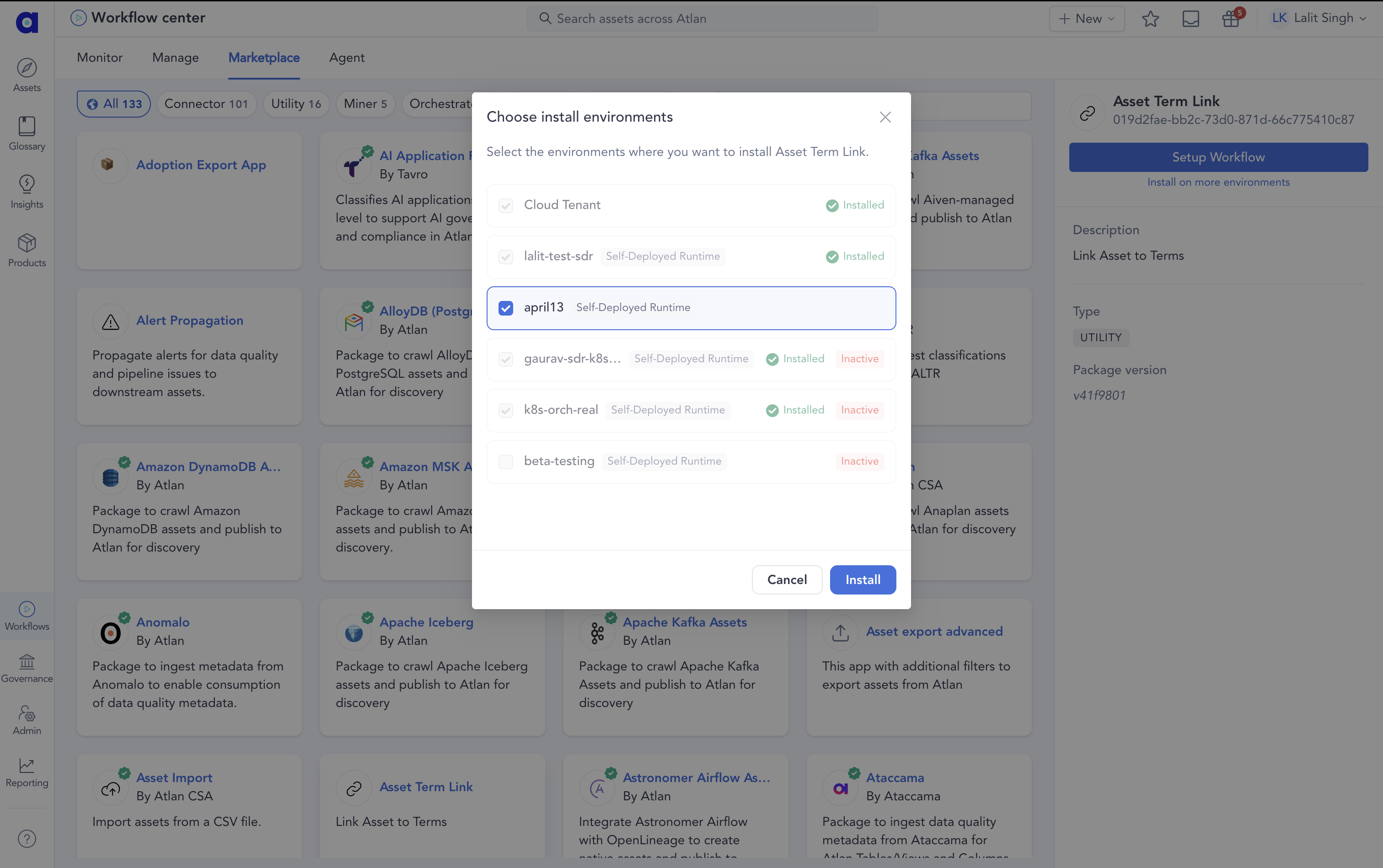
The workflow setup step that follows is the same regardless of which environments the app is deployed on.
See also
- App management: How SDR manages app lifecycle and cardinality relationships
- Manage apps: Install, update, and remove connector apps on an SDR deployment
- Configure workflow execution: Set up workflows to run on SDR apps